

.png "H96 Max Android TV Box video reviews and tutorials on YouTube")
.png "H96 Max Android TV Box photos and lifestyle shots on Instagram")



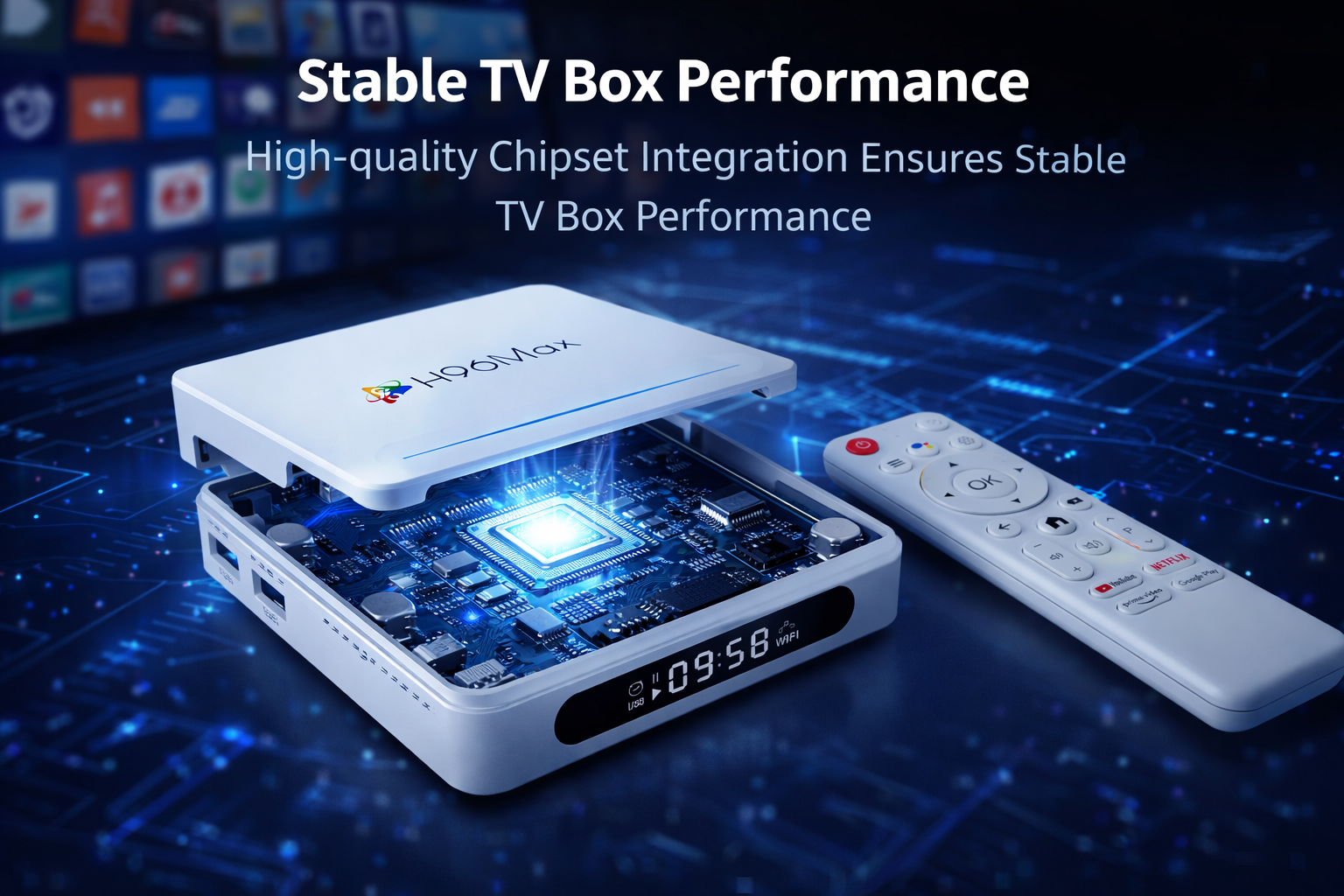
What Factory Details Really Cause Android TV Box Freezing and Lagging?
Introduction: Why Android TV Box Freezing and Lagging Happens
Android TV Box freezing and lagging is one of the most reported issues by buyers and distributors in the streaming hardware market. If you’ve experienced an Android TV Box performance issue, you’re not alone. Customers worldwide report Android TV Box keeps freezing, and often find that the real root causes are rarely discussed openly. This article focuses on the four factory-level factors that have the biggest impact on Android TV Box lag problem and slow performance, drawing on real case studies and engineering know-how. We’ll break down the technical and process-related factors that manufacturers, OEMs, and ODMs should pay close attention to if they want to deliver a truly reliable product.
1. Hardware Quality Control: The First Line Against Android TV Box Performance Issues
The foundation for any high-performance Android TV Box is rigorous hardware quality control. Inconsistent or subpar hardware is the top reason for Android TV Box freezing and lagging. Many factories source components like RAM, eMMC, and CPUs from multiple suppliers. Variability in the electrical performance or endurance of these chips can lead to instability, especially when devices are pushed to their limits by 4K decoding or app multitasking. Experienced OEM and ODM buyers request full test reports, lot traceability, and supplier certifications, but only some factories enforce full incoming inspection and outgoing burn-in tests. Devices that skip these checks are much more likely to encounter Android TV Box lag problem, random freezes, or slow performance in end user hands.
2. Firmware Optimization: Balancing Features and Stability
Android TV Box performance issues aren’t only hardware-related; firmware plays a crucial role. A single minor bug in memory management or video driver code can manifest as Android TV Box keeps freezing during normal use. Frequent firmware updates are common, but poorly tested updates introduce more bugs than they solve. Some factories rush firmware releases to meet deadlines, resulting in random freezing or severe lag—especially when introducing custom features or Android OS modifications. Advanced buyers audit firmware source code, check for compliance with SoC vendor recommendations, and demand real stress testing with dozens of streaming and gaming apps. Why Android TV Box keeps freezing is frequently traced back to memory leaks, driver mismatches, or poorly optimized background services.
3. Thermal Management: Preventing Android TV Box Overheating and Lag
Thermal design is often underestimated, but excessive heat is a major cause of Android TV Box overheating and lag. When processors overheat, hardware throttling is triggered—reducing performance to protect the device. Poor PCB layout, lack of proper heat sinks, or insufficient thermal paste all contribute. Top factories run thermal profiling tests in real living room conditions and simulate extended 4K playback with closed-case setups. Devices that pass these tests are far less likely to suffer from Android TV Box freezing and lagging, even in harsh climates. Engineering changes, such as improved ventilation or higher-quality thermal pads, can be the difference between flawless and frustrating user experiences.
4. Component Sourcing and Supply Chain Integrity
The stability of Android TV Boxes also depends on responsible component sourcing and supply chain management. When factories change suppliers without rigorous requalification—often to cut costs—batch differences can introduce hard-to-detect issues. Inconsistent power ICs, unreliable memory chips, or counterfeit parts have all been documented to cause Android TV Box lag problem and random device freezes. The most reliable OEM/ODM suppliers maintain long-term partnerships with vetted suppliers and use in-house component analysis labs to verify parts. They also communicate openly with B2B clients about any material changes and keep a detailed Bill of Materials for every product batch.
How Can Buyers and Distributors Identify At-Risk Devices?
Professional buyers, distributors, and technical consultants can minimize the risk of Android TV Box slow performance and freezing issues by taking a few proactive steps. Always request third-party quality reports, conduct batch-level performance audits, and visit factories if possible. Check if the manufacturer offers custom firmware development and supports bulk order technical assistance. Transparent documentation, firmware changelogs, and public issue trackers are all signs of a serious and competent supplier. Ultimately, real long-term reliability comes from a combination of strict factory process discipline and open technical support policies.
Conclusion: What Separates Reliable Android TV Box Factories
In summary, Android TV Box freezing and lagging can almost always be traced back to a handful of controllable factory-level factors: hardware quality control, firmware optimization, thermal management, and component sourcing. By focusing on these four areas, buyers and OEM/ODM partners can ensure much higher rates of customer satisfaction and reduce after-sales costs. Factories that openly share test data, support custom firmware, and offer bulk order technical assistance stand out in the market. If you need true factory support, OEM / ODM service, custom firmware, or bulk order technical assistance, contact the H96 Max factory for engineering-driven solutions and long-term business success.
READ MORE
2026 Overseas Android TV Box Market: Profitable Specs and Red Ocean Risks
Top 5 National Markets Prone to Android TV Box After-Sales Issues: Are You Prepared?
Why Global Brands Are Switching from Trading Companies to Android TV Box Manufacturers
OEM vs Ready Stock: The Best Android TV Box Solution for Overseas Wholesalers
How to Select a Reliable Android TV Box Manufacturer? 7 Key Checkpoints for Overseas Buyers
Why Do Some Android TV Box Brands Command Premium Prices While Others Compete on Cost?
Overseas Clients’ Most Hated Android TV Box Problems (90% Remain Unresolved)
Why Android TV Box Wholesale Profit Margin Is Low: The True Impact of Configuration Choices
Why Do Many Android TV Boxes Fail Overseas? 5 Critical Mistakes B2B Buyers Make
Quick Links

.png "Watch H96 Max Android TV Box reviews on our YouTube channel")

.png "Explore H96 Max product photos on Instagram")














